Kling vs Veo3: Stop Asking Which Is Better

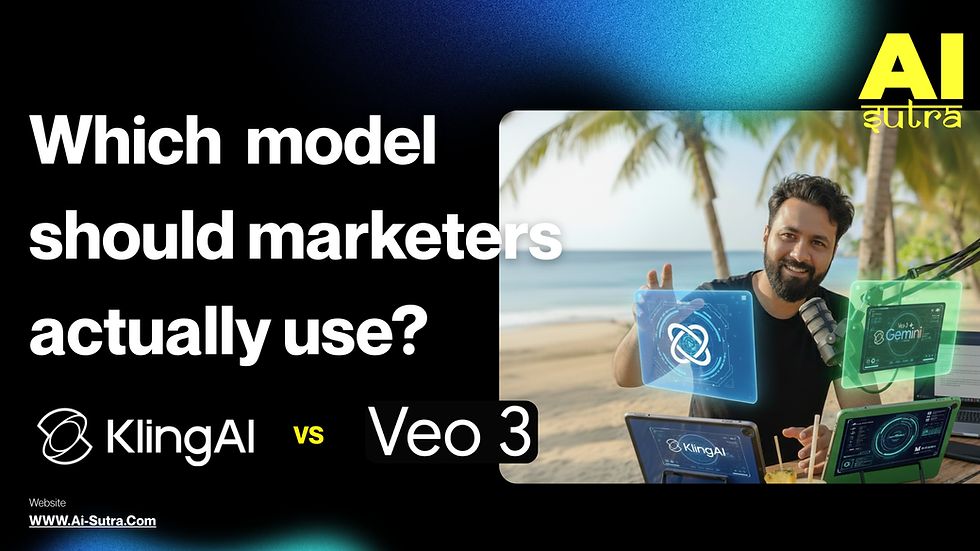
There's a question making the rounds in every marketing Slack channel and agency brainstorming right now: "Should we use Kling or Veo for our video campaigns?"
And honestly? It's the wrong question.
It's like asking whether you should use a hammer or a screwdriver to build a house. The answer is: yes. Both. Depends on what you're building and where you are in the process.
Kling 2.0 and Veo 3 aren't competitors in the way most people think. They're different weapons for different battles. And if you're trying to pick one and ignore the other, you're about to make your video production way harder than it needs to be.
What Each Tool Actually Does
Let's cut through the hype and talk about what these tools are genuinely good at.
Kling 2.0 is your cinematic beast. It's the tool you reach for when you need jaw-dropping visuals—high-action sequences, fast motion, product spins that look like they belong in a Super Bowl ad. Kling handles movement in a way that feels alive. Faces don't warp. Bodies don't melt into backgrounds. Fast motion stays crisp instead of turning into a blurry fever dream.
Think of Kling as your mini film crew living inside your laptop. It's built for people who want their videos to look expensive, even when the budget says otherwise.
Veo 3, on the other hand, is Google's answer to the "I need this video by tomorrow and it needs to be ready to post" problem. It lives inside the Google stack (Gemini, Vertex, all the places your team already works), comes with audio built-in, and delivers physically believable lighting and movement that doesn't make viewers go "wait, something's off here."
Veo is your reliable workhorse. It's not trying to blow your mind—it's trying to get you from script to final clip without seventeen rounds of editing and a minor existential crisis about whether AI video is actually useful yet.
The Control Question: How Much Do You Want to Tinker?
This is where the tools really diverge, and where your choice starts to matter.
Kling's Playground: The Multi-Elements Editor
Kling gives you a multi-elements editor that lets you treat image-to-video generation like an animation pipeline. You can add objects. Swap them. Delete them mid-scene. It's granular control that makes performance creatives and variation testing actually feasible.
If you're the type of marketer who wants to test "hero product on beach" vs "hero product on mountain" vs "hero product floating in space surrounded by dancing llamas," Kling is your friend. You can manipulate the scene at the object level, which means you're not regenerating entire videos every time you want to tweak one element.
This is killer for performance creatives where small changes can mean big results. Different backgrounds, different props, different energy—all without starting from scratch.
Veo's Approach: Frame-Specific Generation
Veo gives you frame-specific generation and video extension tools for longer edits. You can feed it up to three reference images via Gemini or Vertex, which is great for storyboard-style control. You're guiding the narrative, setting keyframes, and letting Veo interpolate the movement between them.
It's less about object-level tinkering and more about "here's the story arc, make it happen." Which, for teams that don't want to become video editors overnight, is actually a feature, not a bug.
You can check out the results yourself:
When to Use Which
Here's the part where we get practical. Because all the feature comparisons in the world don't matter if you can't make a decision by 2pm when your creative director is breathing down your neck.
Use Kling When:
You're making premium brand films and hero shots. The kind of content that lives on your homepage, gets shared at conferences, and makes your CMO go "okay, I get why we're spending money on this now."
You need high-action product ads or festival promos. Diwali sale? New product launch with energy drink vibes? Anything with speed, motion, or "we need this to feel cinematic"? Kling.
Your team already handles sound and final editing. Kling doesn't come with audio, which sounds like a weakness until you realize it's actually freedom. You're not locked into whatever generic soundtrack the AI chose. You bring your own production pipeline.
Visual "wow" matters more than convenience. Sometimes you need content that stops the scroll. That makes people screenshot and send to their friends. That gets saved and rewatched. Kling delivers that.
Use Veo When:
You're cranking out high-volume social content and UGC-style videos. Three Instagram posts, two LinkedIn clips, and a TikTok before lunch? Veo won't judge you. It'll just deliver.
You have a "record script → get clip with audio" workflow. Veo's integration with Google's tools means you can move from idea to final video without jumping between seventeen different apps. It's the efficiency play.
Your team isn't technical and lives in Gemini/Google Drive. If your content team's workflow is "write in Docs, present in Slides, collaborate in Drive," then forcing them to learn a new platform is a tax on productivity. Veo meets them where they already are.
Compliance, safety, and speed matter more than flex. Sometimes you just need something that works, ships on time, and won't cause problems with legal, brand safety, or the fourteen approval layers between you and publish. Veo's inside Google's guardrails, which means fewer surprises.
The Real Insight: Build a Stack, Not a Allegiance
Here's what the smart teams are figuring out: you don't pick one tool and declare loyalty like it's a football team. You build a stack.
Use Kling for your tent-pole campaigns, your hero content, the stuff that defines your brand's visual identity. Use Veo for everything else—the daily drumbeat of content that keeps your channels alive and your audience engaged.
Different weapons. Different battles.
A chef doesn't use the same knife for everything. A carpenter doesn't use the same saw for every cut. And you shouldn't use the same AI video tool for every piece of content just because it's the one you learned first.
Stop Asking "Which Is Better?"
Start asking: "Which is better for this video?"
Because the answer changes based on:
What you're trying to achieve (stop-the-scroll impact vs. reliable volume)
How much control you need (scene-level manipulation vs. guided narrative)
What your production workflow looks like (standalone pipeline vs. Google-native)
What your timeline is (perfection vs. speed)
What your team's skillset is (technical vs. non-technical)
The marketers winning with AI video right now aren't the ones who picked the "best" tool. They're the ones who picked the right tool for each job.
They're not asking "Kling or Veo?"
They're asking "For this campaign, with this timeline, for this audience, in this format—which tool gets me closest to the outcome I need?"
That's the question that actually matters.
Kling 2.0 is your cinematic powerhouse. When you need visuals that look like they cost 10x what you actually spent, when motion and action define the story, when you want granular control over every element in the frame—that's your tool.
Veo 3 is your production workhorse. When you need reliable output at scale, when your team lives in Google's ecosystem, when speed and safety matter as much as quality, when audio-complete clips save you hours in post-production—that's your tool.
Neither one is "better." They're just better at different things.
Build your stack accordingly. Match the tool to the job. And stop treating AI video generation like a binary choice when it's actually a strategic toolkit.
Want help building your AI video stack that actually matches how your team works? Head to ai-sutra.com and let's talk about what that looks like for your workflows.


Mình chơi xổ số kiểu cho vui là chính, coi kết quả để giải trí chứ không đặt nặng chuyện đổi đời. Trước đây nghe người ta bàn về đủ loại “cầu” nọ kia mình cũng nghi nghi, nhưng theo dõi lâu thì thỉnh thoảng thấy có vài dạng số lặp lại khiến mình chú ý. Mỗi lần đọc mấy bài nhận định, mình hay ghi lại vài ý ngắn gọn rồi để đó, bữa sau đối chiếu xem có đúng không, tránh bị cảm xúc kéo đi. Dạo này mình có ghé https://soicauxsmb.io/rong-bach-kim.html để xem thêm góc nhìn cho đỡ nhàm. Có hôm trúng được chút thì vui, nhưng cũng nhiều lần trật hết nên mình tự nhắc là…